
Call To Register For Lessons: (414) 509-0731
Email us at Info@MkeLessons.com
Make practice fun, clear, and consistent
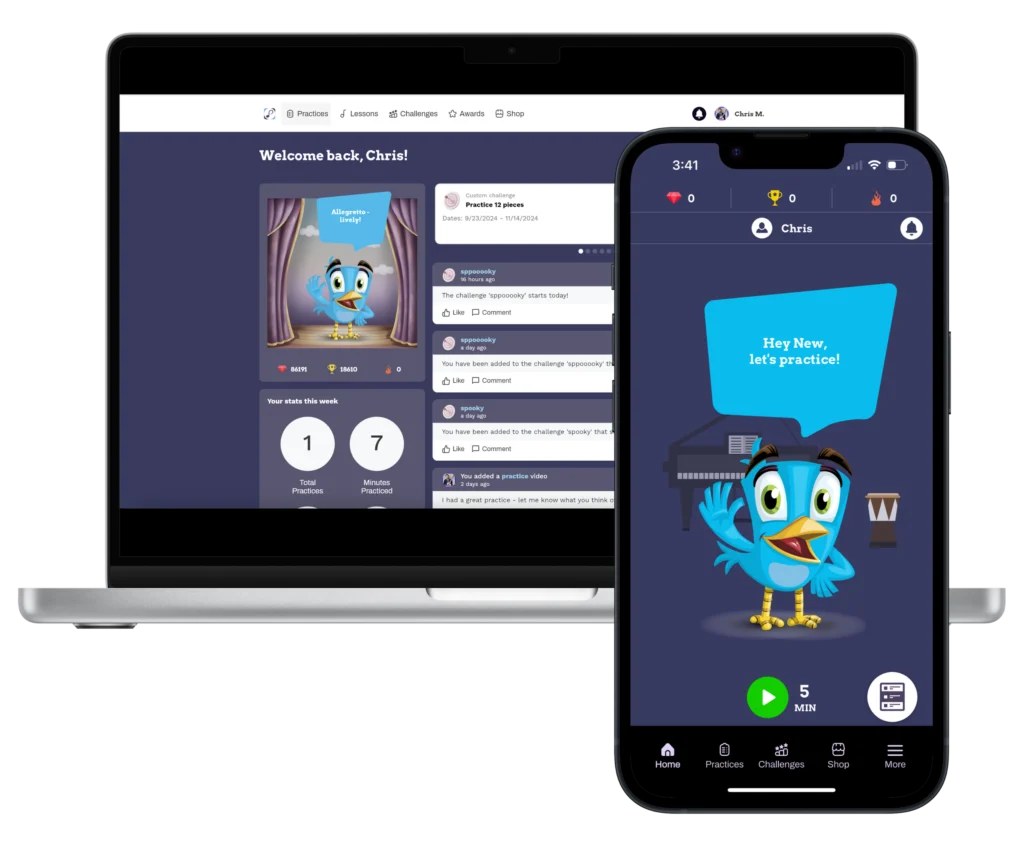
We use an app called Practice Space to:
We strongly encourage every family to use the app on a phone or tablet.
It’s free for our students and only takes a few minutes to set up.
3 quick steps to join our studio
Once you’re in, your teacher will start sending lesson notes and assignments through the app, and you’ll begin earning points for every practice session.
If you get stuck at any step, just text us at 414‑509‑0731 or reply to your welcome email and we’ll walk you through it.
“My 11 year old son has been taking drum lessons with Alex for nine months and absolutely loves going. He has never had lessons before. Along with teaching music theory, each lesson includes a very relatable song to a kid. My son eagerly awaits each lesson in anticipation of finding out what new fun song he’ll learn.”
– Jenni Hanson
“Robyn is an outstanding piano teacher with boundless patience and kindness. She really makes learning a fun experience. Both Robyn and Alex are organized, efficient, and talented with music, their teaching styles, and the way they run their small business. They get a hundred stars from this student!”
– Cathy Zabler
“I’ve been taking lessons from Alex for over a month now and I’ve made more progress in that time than the dozens of times I’ve tried to teach myself. Alex is patient, explains things clearly (not just the how, but also the why), and makes it fun! I’m learning the songs I want to learn out of the gate. Alex shows me the proper techniques that have helped me get over the humps that held me back in the past and the tools that he offers have been huge (mp3 files of the songs that I can play along with has been a game changer). I can’t say enough about how happy and excited I am to be working with Alex and Milwaukee Music Lessons!”
– Stephanie Moore
“We’ve been with Alex for almost a year now. Our 11yr old son has loved his weekly guitar lessons and has improved so much in this time. He and Alex have established a really solid bond and it’s wonderful that my son has found such a great mentor. Alex is a talented and enthusiastic teacher, and we whole-heartedly recommend him. Thank you Alex!”
– Jess Weber
“My son has been taking guitar lessons with Alex for a few months now and he loves it! He looks forward to going every week. Alex is fun and engaging. He is very student led and lets my son even choose songs that he wants to learn. He also encourages and pushes him in areas that need improvement. My son has come a long way in just a few months. Awesome teacher, highly recommend!”
– Scott Hoff
“Alex has the ability to adjust quickly during a lesson to meet a students needs. if I am not grasping a concept he will change wording, demonstrate or find an example in a song from his extensive memory bank. I made the decision to learn to play the guitar from an experienced teacher rather than try to figure things out for myself. I believe this is a good investment of my time and money..”
– Donna Galik
“Alex is a professional both in playing and teaching. He is able to adapt his teaching style to whatever suites your needs, from beginner to advanced. Highly recommend.”
– Kyle Rasmussen
“Alex is an amazing and patient teacher! The greatest part about learning guitar from him is that you don’t even realize how fast your progressing as you move from one song to the next. Unlike a traditional approach of learning notes and chords separately, he defines a way to do it all intuitively.”
– Henry Kosarzycki
“Our son has been a student for 3 years now and we keep coming back! Alex is thoroughly invested in our student’s success, and he makes such great resources available for practicing during the week. We observe demonstrable progress throughout each school year – a credit to both regular practicing and Alex’s instruction. Thank you so much!”
– Mark Nimmer
My young children began piano lessons with Robin (Robyn?–apologies!) this past summer, and with every session, I’m increasingly impressed with her teaching skills. She’s engaging, thoughtful about curriculum, and flexible throughout, especially when meeting the pedagogical needs of a 7-yo and a 4-yo in the same session. No easy task! I highly recommend her instruction for a welcoming but challenging journey into piano.
– Leslie McAbee
“Alex has been teaching our 12-year-old drum lessons for almost a year. It has been a great experience for our son. Alex shares his passion for music in a professional way, and works well with kids. Our son enjoys practicing and likes that he gets to choose some of the songs he works on. Alex is a clear communicator, and he is encouraging as well. I’m looking forward to watching our son grow as a musician under Alex’s guidance!”
– Louise Abramowski
“Our 8 year old son started drum lessons with Alex about 6 months ago and he absolutely loves it. Alex is so nice, funny, and has a great way of engaging with the kids. He explains things very clearly and our son looks forward to his lesson each week. And he also likes that he gets to play “cool” songs. Thanks Alex!”
– Stacie Hojnacki
“I have two sons that are both talented musicians. As they were growing up they had many good teachers throughout the years. They, and I, were fortunate that way. So when I decided to take the challenge of learning to play an instrument myself I had a pretty good idea of what I’d need to succeed and learn.
I found Milwaukee Music Lessons with a Google search, they were close by and had daytime availability which I preferred. I am very happy that I did. I am working with Robyn and she is an absolutely wonderful teacher. She is a patient encouraging person who has taught me so much in such a short time. She takes time to work things out with me at my beginner level, even though she is an accomplished musician. Not every musician has the ability to work with those who are just starting, but Robyn does and I look forward to every lesson I attend with her. She knows how to get the most out of every session and I look forward to continuing my musical journey with her expert assistance.”
– Dave Skowronek
“I’ve been taking lessons with Alex for nearly 3 years and it’s been the best! His lessons are very student-led and he will teach me whatever I want to learn, which keeps me motivated, rather than learning from a structured book. Yet he also pushes me when I need it to make sure I’m improving. Not only is he an extremely talented guitarist, but he has an answer for every question, whether it’s about gear or music theory. Could not be a better investment in myself.“
– Sydney Drosen
“I’m 53 and wanted to expand my music knowledge and better my guitar playing skills. Alex has been able to not only go at a pace that fits my comprehension, but give me lessons to work on at home so I can work on at my own speed. In 1 month of working with Alex, I’ve been able to write a song, understand what key it’s in and come up with a solo that complements the song. It’s mind blowing how simple he makes it to understand. Alex makes music fun again for me.“
– Ken Hanrahan